Getting Started
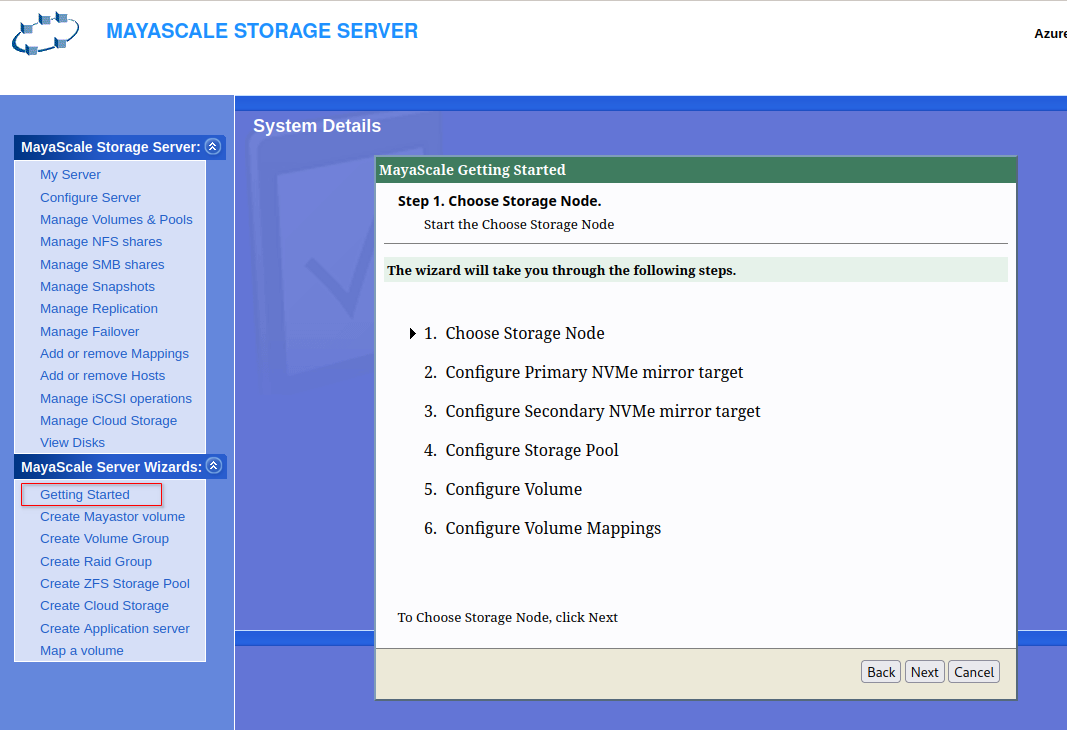
Connect to Administration Web console available on http://<mayascale1-ip>:2020 and login as admin and click Getting Started Click Next to proceed with Choose Storage Node |
|
| Proceed with MayaScale configuration in High Availability only after setting Service principal login for all the mayascale instances. |
Getting Started
|
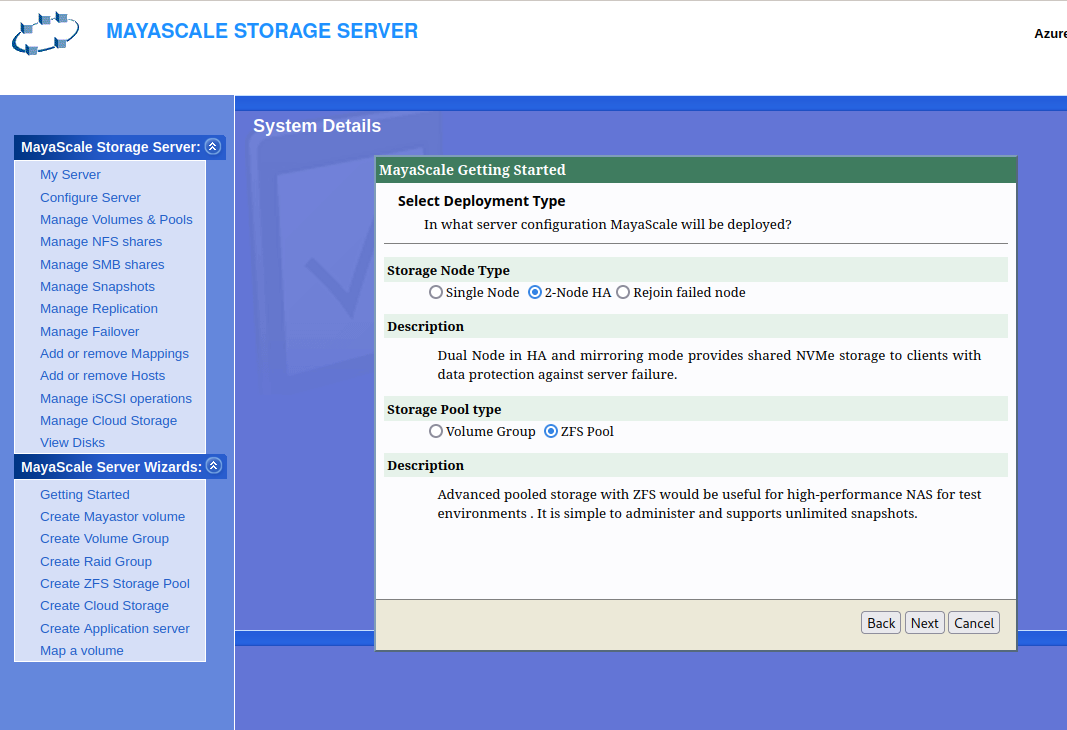
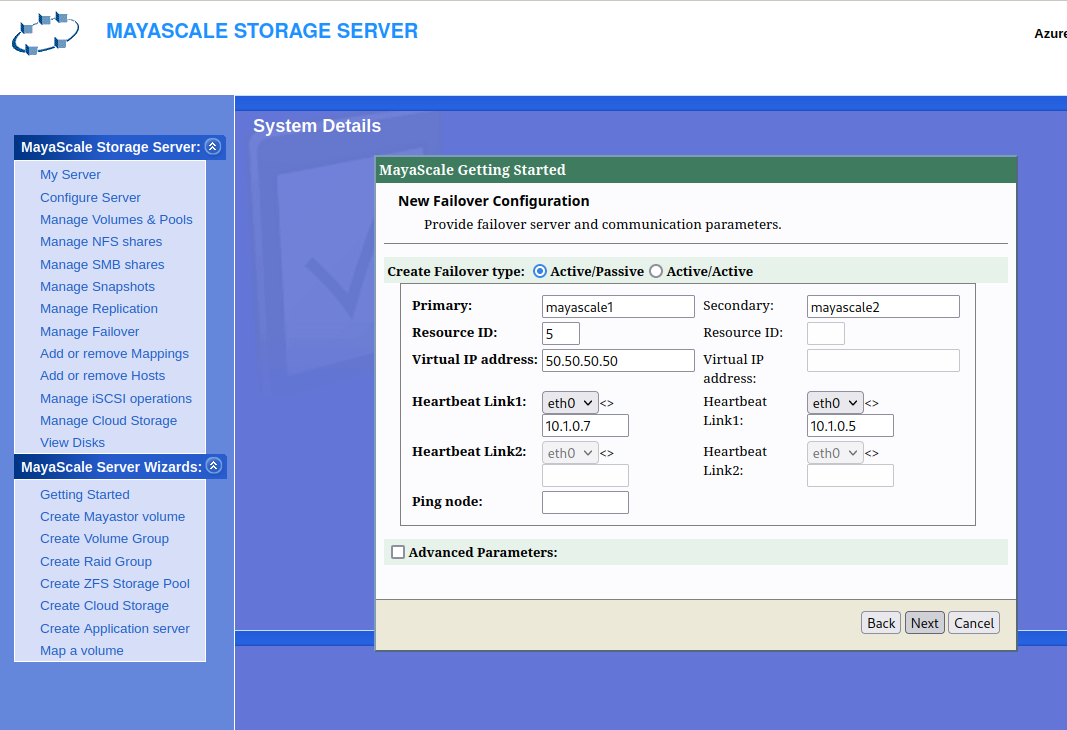
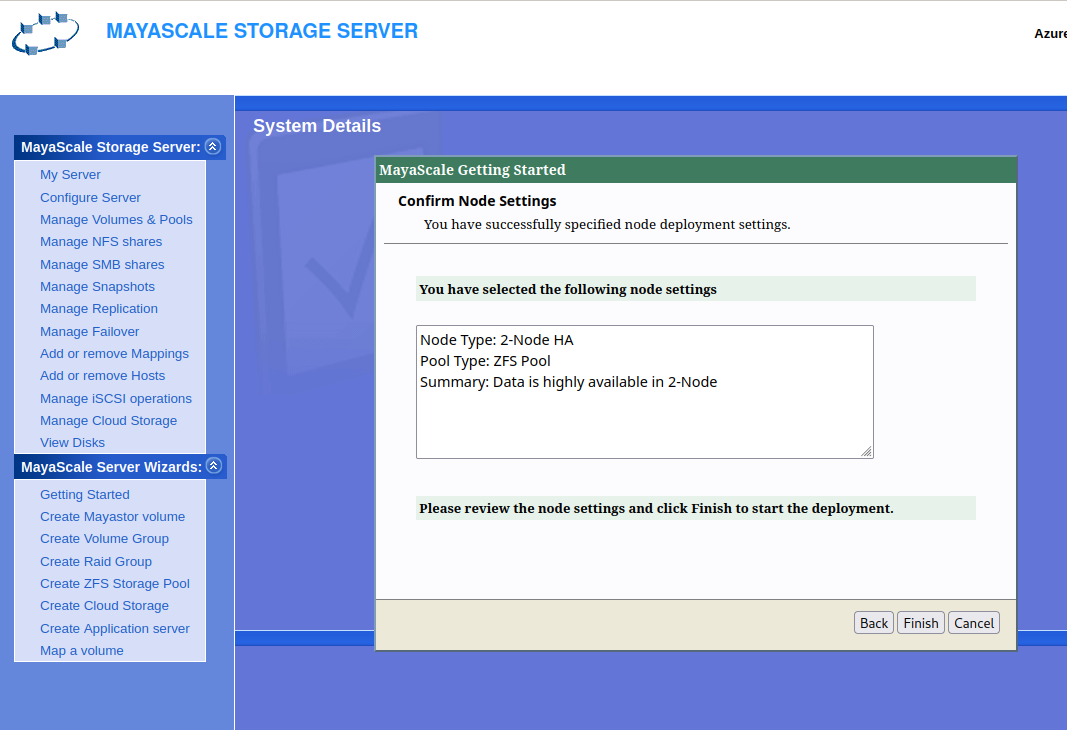
Step1 → Choose Storage Node
|
|
|
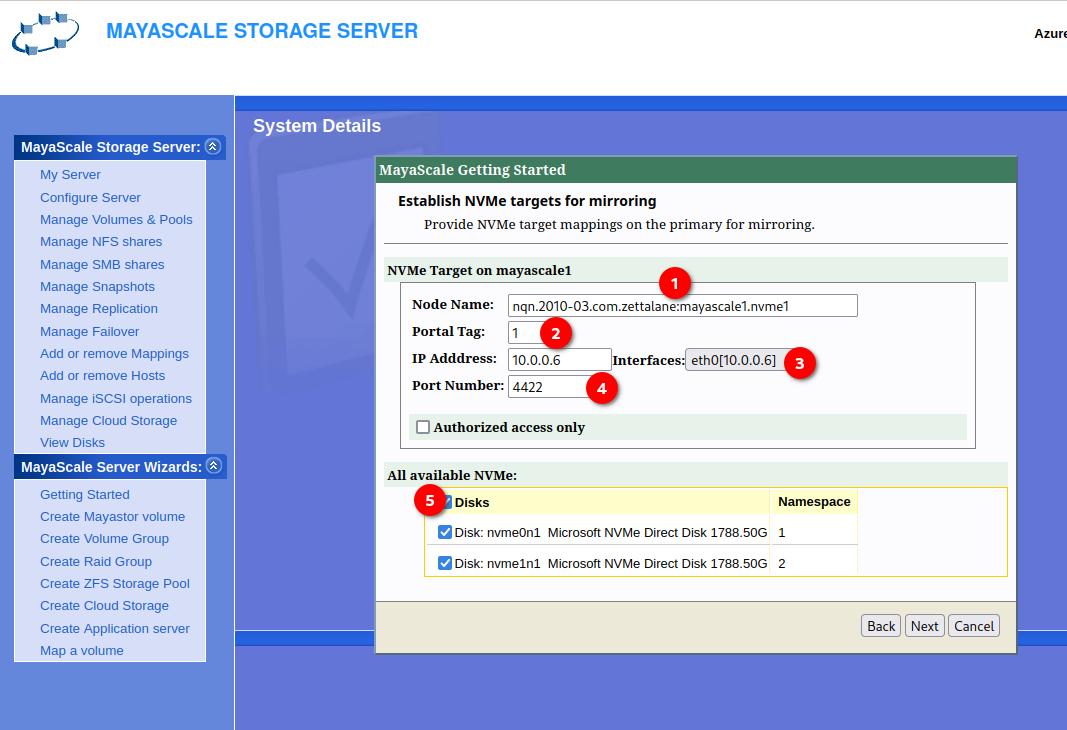
Step 2 → Configure Primary mirror NVMe Target
|
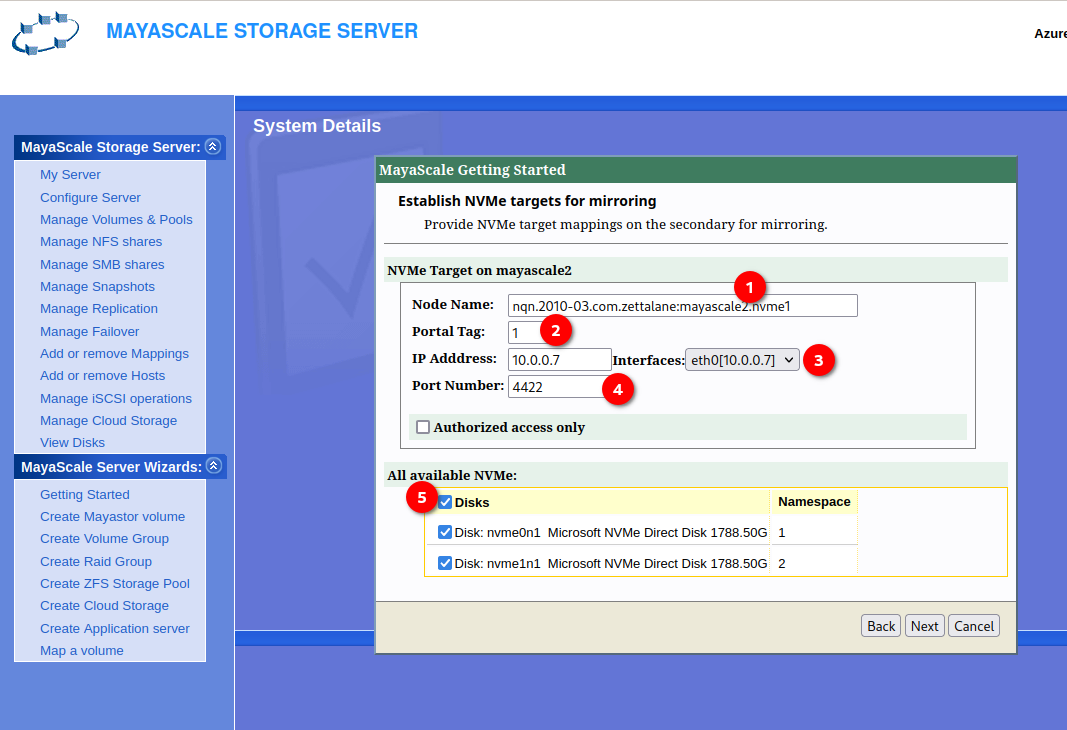
Step 3 → Configure Secondary mirror NVMe Target
|
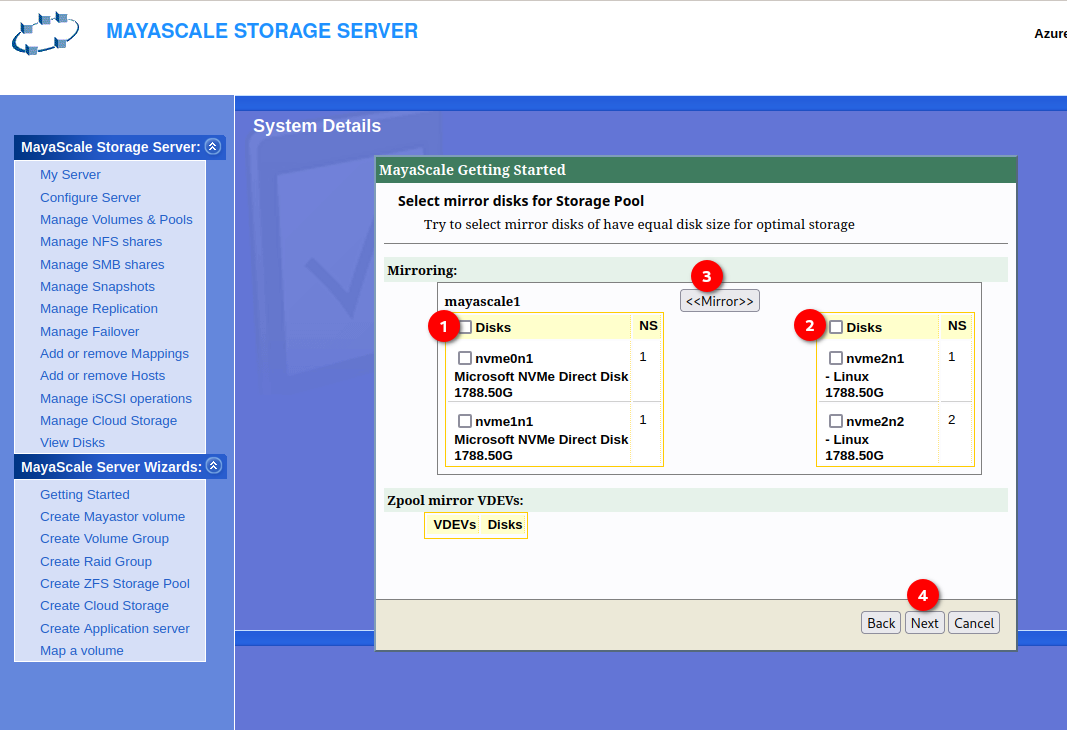
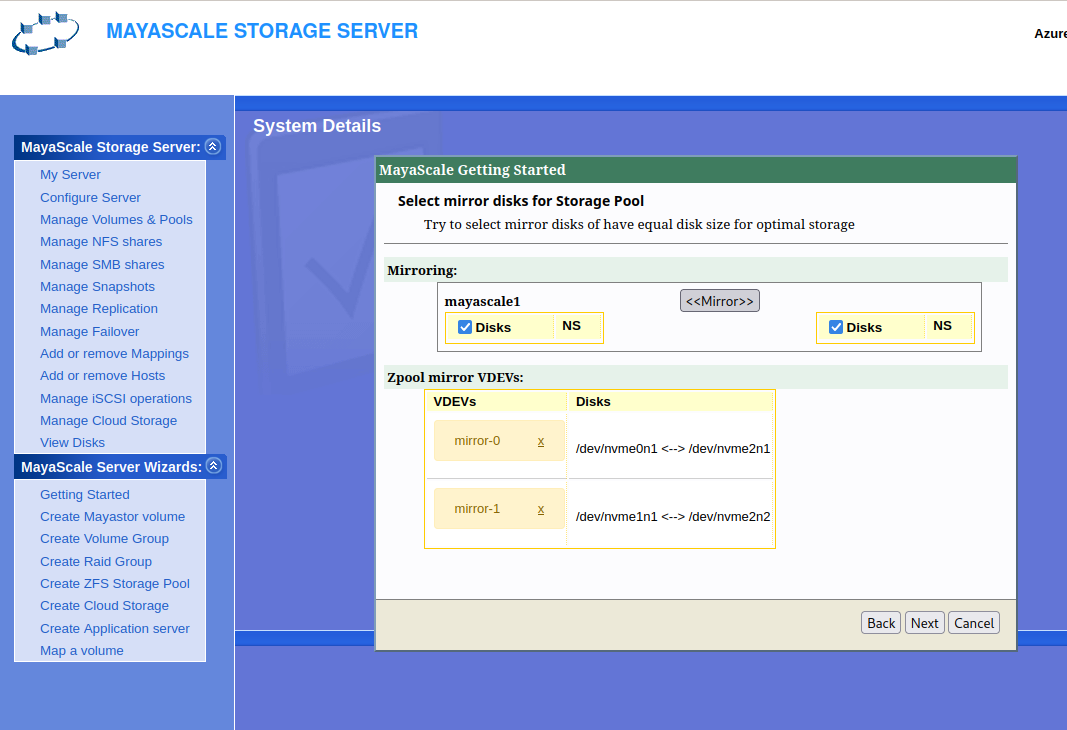
Select mirror disk for storage Pool
|
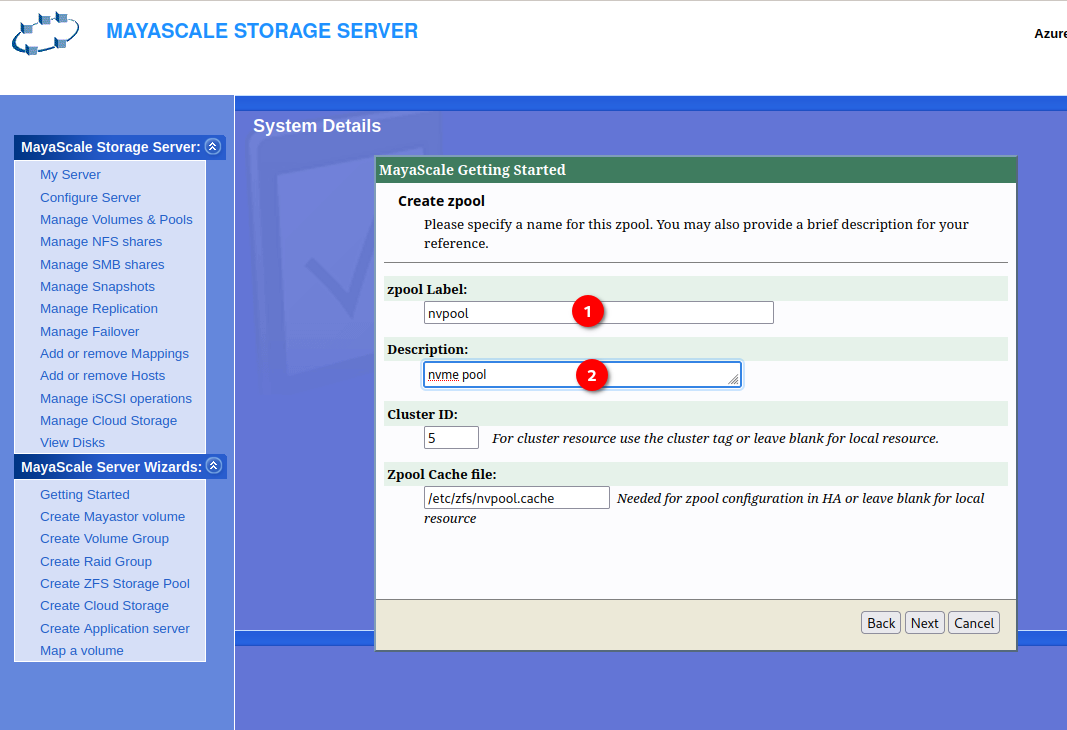
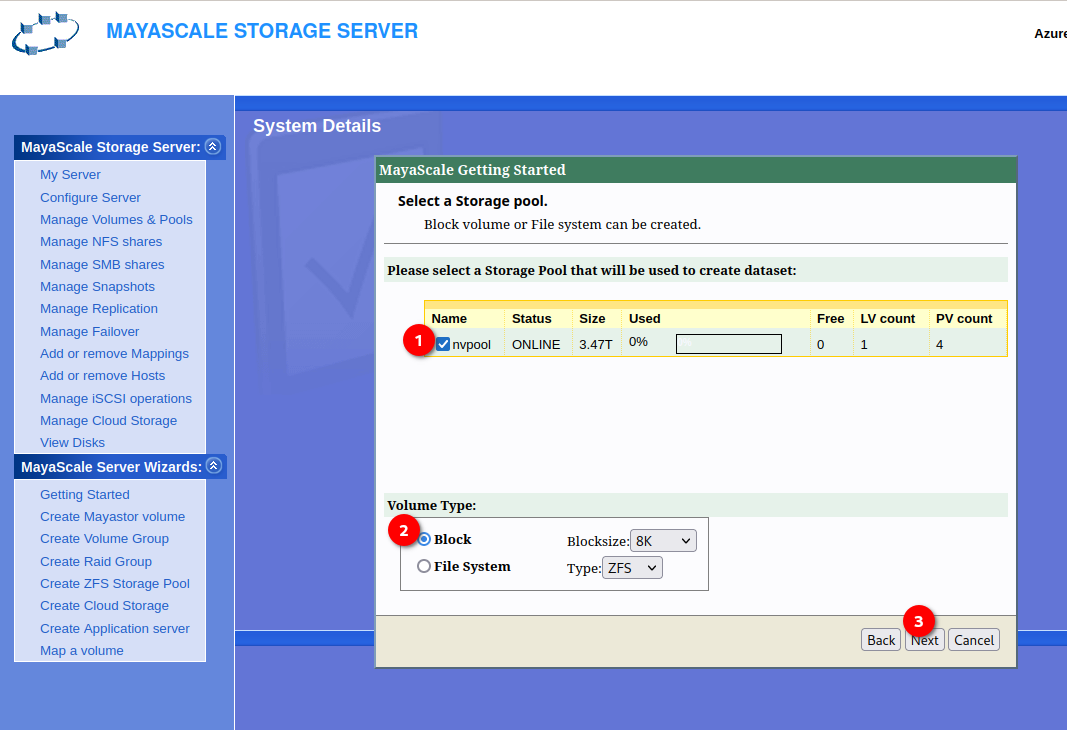
Step 4 → Configure Storage Pool
|
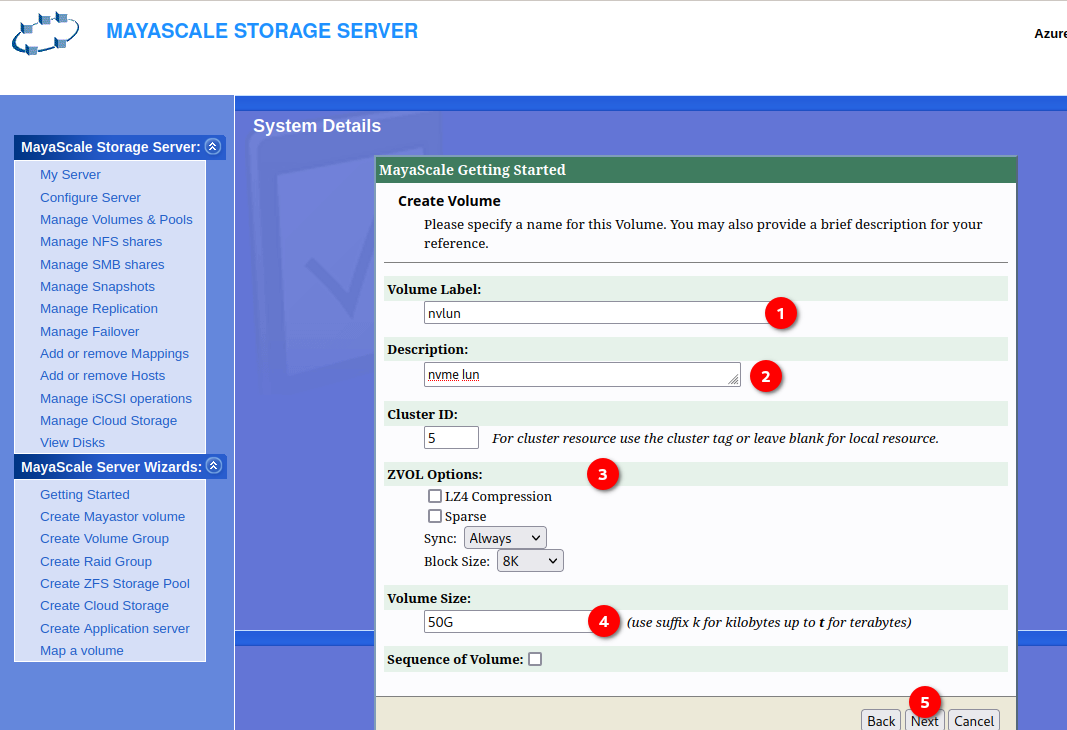
Step 5 → Configure Volume
|
Create Volume
|
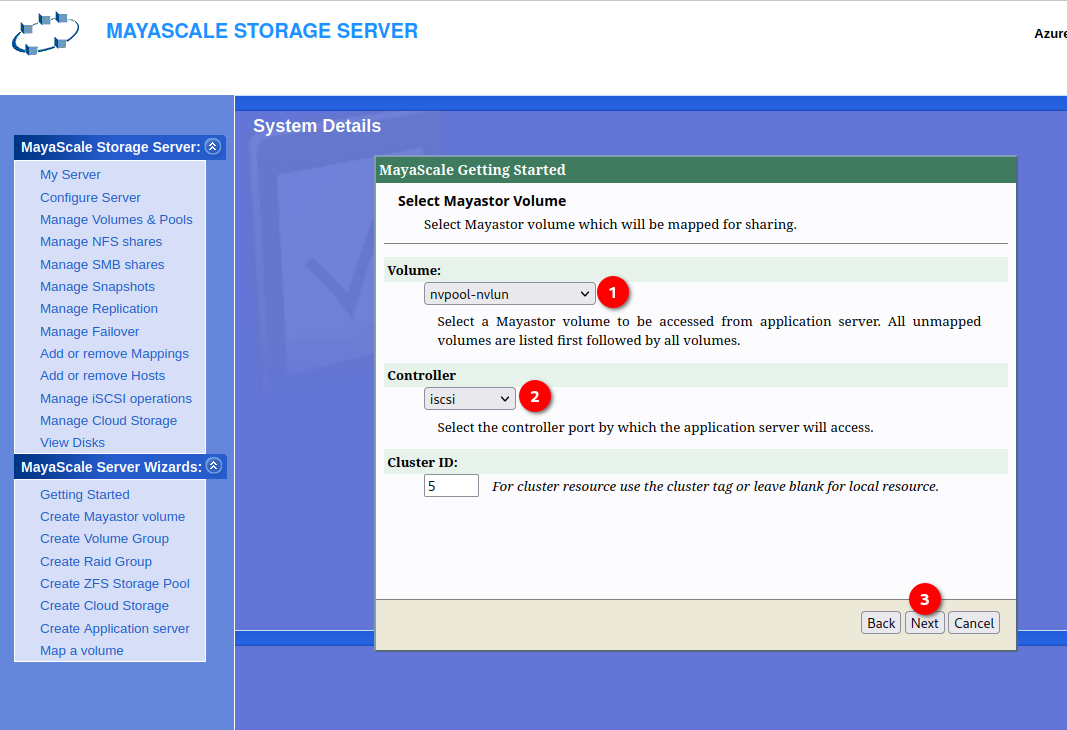
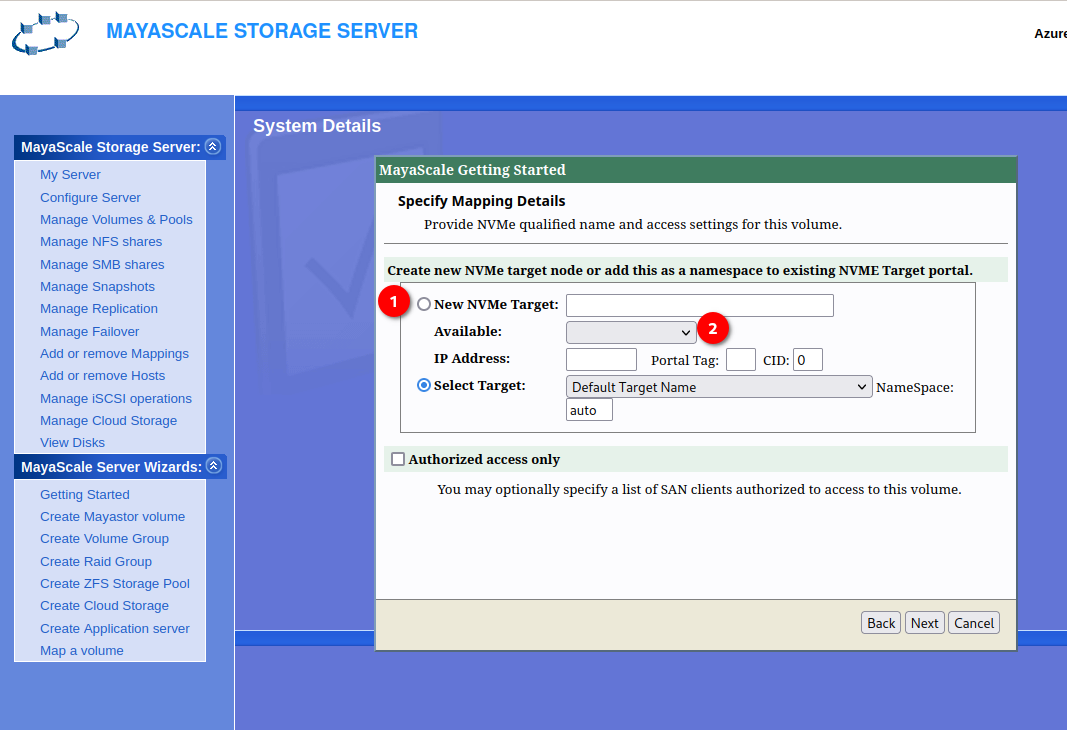
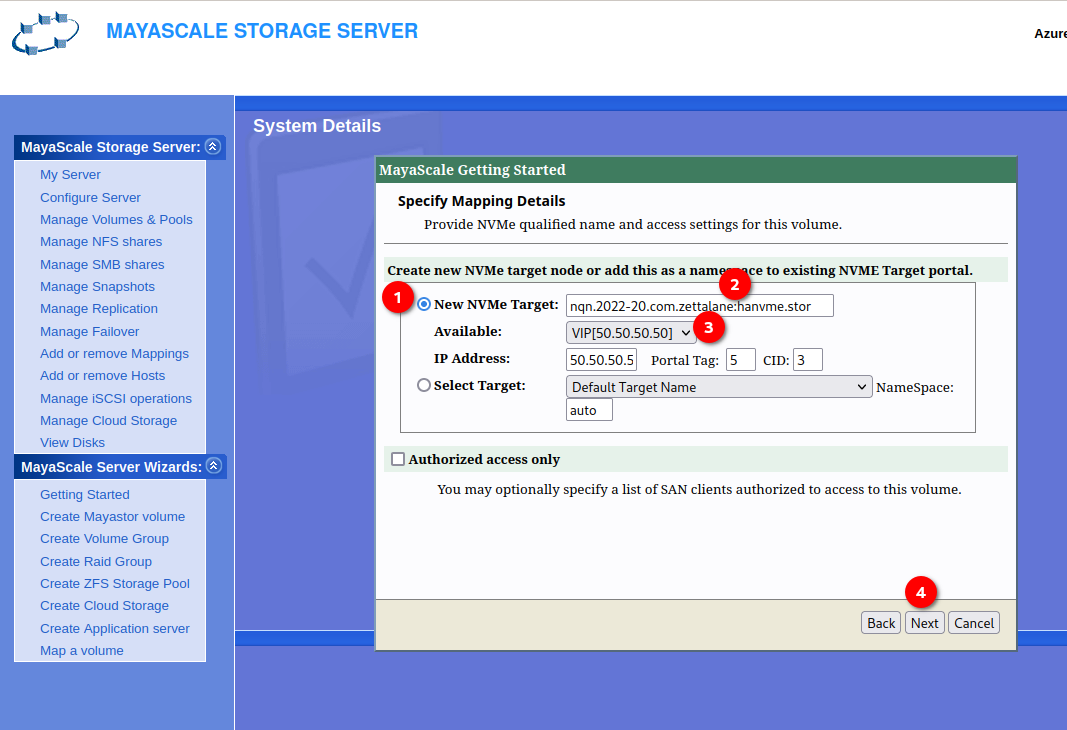
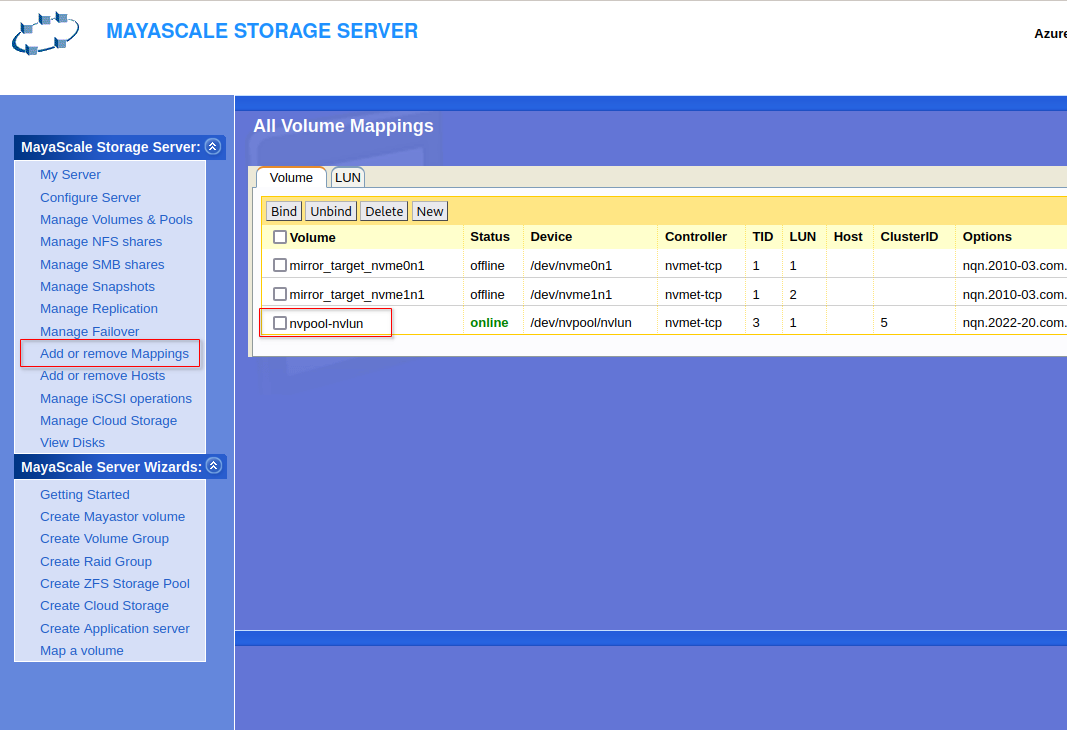
Step 6 → Configure Volume Mapping
|
|
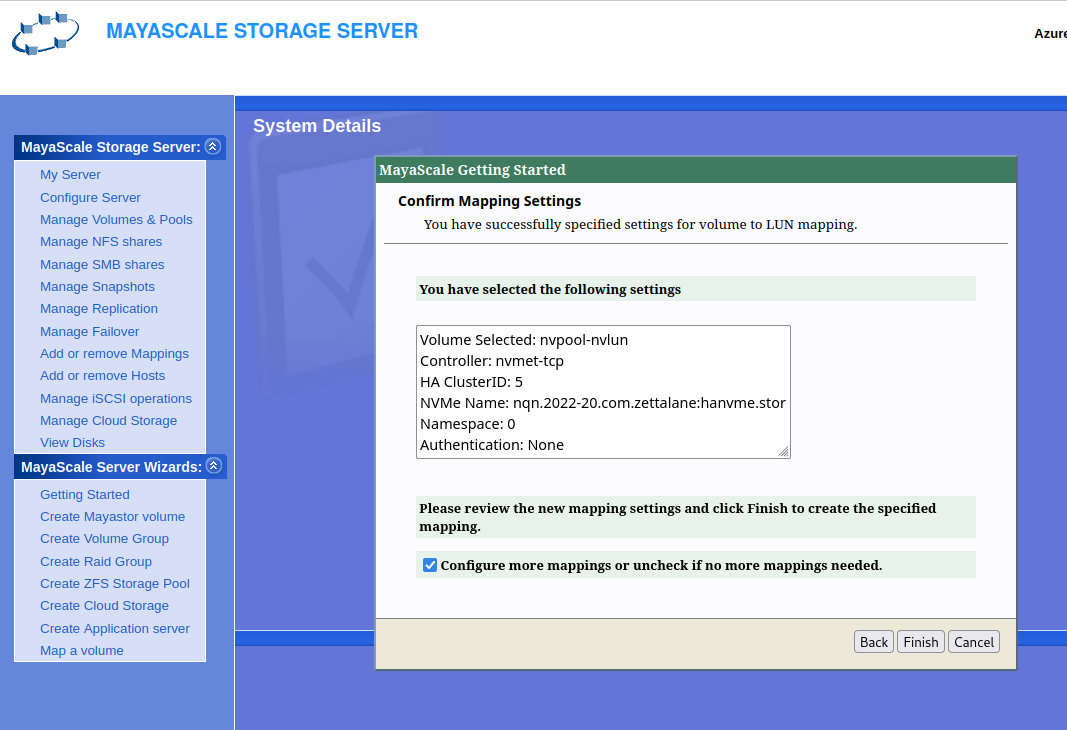
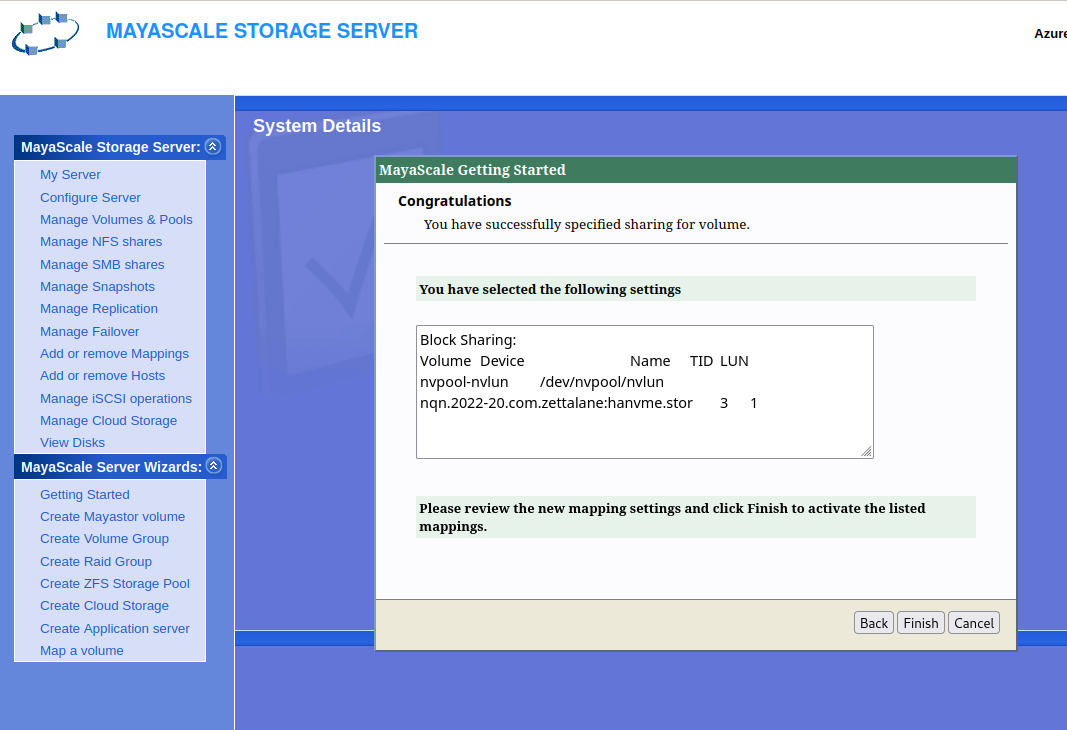
Confirm Volume Mappings
|
|
|